• Music and preschool learning
  • iPhone and iPad

Every day is someone's birthday in here.

Spell Happy Birthday, play a birthday song on a xylophone, sort fruit, match party items, compare gifts, and count hats and candles. A celebration full of early learning activities.

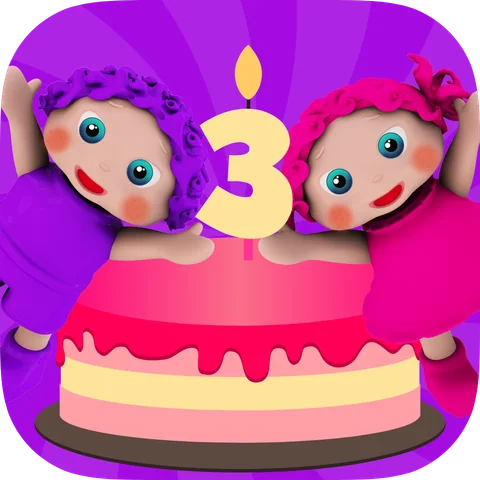
EduBirthday app icon
About the game

Who doesn’t like to be invited to a birthday party?

EduBirthday kindergarten learning games invite young children to a fun birthday party where they will learn early childhood education concepts which will simulate their enthusiasm for learning and guide them for independent play.

Inside EduBirthday

What children do and learn

01

Games

Spelling GameFun learning game that teaches children to spell “Happy Birthday” and upon completion rewards them with a magical birthday song

DirectionsPreschoolers will learn left & right by taking fun birthday photos

Sorting GameChildren will learn to sort fruits for the party guests and enhance their cognitive skills

Recognition Gamein this kids learning game children will practice their fine motor skills by learning to distinguish fruits and cutting them

Matching Gamesthree fun learning games for kids that focus on teaching toddlers matching skills and colors with candies, colorful hats, and party goody bags.

Memory Games for Kidslearning game for children that helps them practice their memory by matching numbers 0-10 and color cards

Size Recognition Gamein this game preschool kids will learn about sizes while comparing birthday gifts

Counting & Number Gamepreschool children will learn to count colorful hats and birthday candles

Sound Learning Gameyoung children will practice the birthday song by playing it on the Xylophone

Color Learning Gamestwo toddler learning games that teach kids to match colorful birthday balloons, hats, rainbow candles, and twin guests
02

Edu Features

  • More than 18 educational games, toddler puzzle games, and quizzes
  • Great for toddlers, preschoolers, kindergarteners, teachers, schools, homeschoolers, parents, and babysitters.
  • Instructional voice commands in 12 different languages so kids can play independently
  • Problem-solving
  • Letters & spelling
  • Toddlers Puzzles
  • Numbers for kids
  • Free of third-party advertisement
  • Autism spectrum and special needs children can also take educational benefits
  • Prefect app for children with needs of speech therapy
  • Preschool teachers can also use this learning app in their classrooms
  • Recommended for kids aged 2-6
  • 3D HD colorful graphics
  • Unlimited access to a complete collection of birthday games in a toddler-friendly app
  • Unlimited play and innovative rewards system
  • Free without WiFi
  • Animated 3D characters guide children at their birthday party
  • Customizable for parents to adjust settings based on children’s learning level
03

Purchasing

EduBirthday is a one-time purchase app and not a subscription-based app.

EduBirthday: Preschool SurpriseFrom the App Store description

View in the App Store
EduBirthday

Frequently asked questions

Is there a learning game with a party theme?

EduBirthday has more than 18 games: children spell Happy Birthday, play the song on a xylophone, and count hats and candles. Try next: EduKitchen for more everyday play.

What is EduBirthday and what age is it for?

EduBirthday is a birthday-themed preschool learning game recommended for children ages 2–6. It includes more than 18 games, puzzles and quizzes covering colors, counting, numbers, matching, sorting, memory, directions, spelling and music.

What skills does EduBirthday teach children?

Children practice spelling, left and right, sorting, fruit recognition, matching, colors, memory, size comparison, counting, numbers, music and fine motor control.

How does the EduBirthday game work?

Children spell “Happy Birthday,” play a birthday song on a xylophone, take direction-based photos, sort fruit, cut fruit, match party items, pair memory cards, compare gift sizes and count hats and candles.

How many games are included in EduBirthday?

EduBirthday includes more than 18 birthday-themed educational games, puzzles and quizzes.

Can children play EduBirthday offline, and does it have ads?

Yes. EduBirthday can be played offline. Cubic Frog® apps have no third-party ads; some may show cross-promotions for other Cubic Frog® games.

Which languages does EduBirthday support?

The app supports English, Arabic, French, German, Japanese, Korean, Persian, Portuguese, Russian, Simplified Chinese, Spanish and Traditional Chinese.

Is EduBirthday free or a one-time purchase?

EduBirthday is free to download. In the United States, a $5.99 one-time purchase unlocks ten additional educational games. It is not a subscription. Prices may vary by country.

Can teachers use EduBirthday in preschool or kindergarten?

Yes. The birthday theme can support classroom practice with counting, colors, sorting, matching, directions, spelling, music and size comparison.