• Art and early learning
  • iPhone and iPad

Color everything. Learn while you do.

Paint letters, numbers, shapes, expressions, and objects in response to spoken prompts. Explore colors, patterns, directions, counting, and size through painting activities.

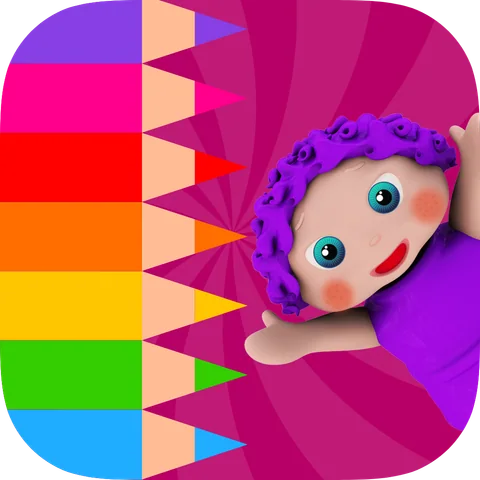
EduPaint app icon
About the game

This fun painting app is a coloring book for children.

These educational painting games for kids use colors & drawing to teach them fundamental early learning concepts: alphabet learning, vocabulary building, numbers & counting, geometric shapes, and much more!

Inside EduPaint

What children do and learn

01

Games

  • Paint & Learn Alphabet Letters two fun painting games for kids that help children identify and paint alphabet letters and connect capital to lowercase letters.
  • Facial Expressions In this baby learning game toddlers will learn to paint different types of facial expressions.
  • Paint & Learn Left & Right coloring games for kids that teach toddlers left and right while coloring animals in their coloring book.
  • Coloring Patterns toddlers touch and color the next shape in a sequence & learn to identify patterns.
  • Shape Learning & Color Recognition two kindergarten learning games that help kids learn to paint shapes and differentiate them based on different quizzes and painting games
  • Vocabulary coloring game that teaches children to color different drawings based on preschool quizzes
  • Paint & Learn Numbers three learning games focusing on number learning, counting, and sequencing through painting
  • Sort in Order In these two toddler painting games, children will learn the concepts tallest/ shortest and biggest / smallest by painting robots and animals
02

Edu Features

  • Coloring pages for kids with more than 18 painting games & quizzes
  • Great for babies, toddlers, kindergarteners, teachers, schools, homeschoolers, parents, and babysitters
  • Instructional voice commands in 12 different languages & Independent play with coloring book for kids
  • Fine motor skills
  • Preschool teachers can also use this children painting app in their classrooms
  • Unlimited access to a complete collection of coloring games for kids
  • Unlimited play and innovative rewards system
  • Free of third-party advertisement
  • Free without WiFi
  • Customizable for parents to adjust settings based on children’s learning level
03

Purchasing, Rules & Regulations

EduPaint is a free painting game with one time in-app purchase and not a subscription-based app.

ABC Coloring Book: EduPaintFrom the App Store description

View in the App Store
EduPaint

Frequently asked questions

Is there a coloring game that also teaches?

Yes. Children hear a prompt, then paint the right letter, number, shape or expression, which turns coloring into listening and early learning. Try next: Slime Unicorn Games for free-form making.

What is EduPaint and what age is it for?

EduPaint is an educational coloring and painting app for children with a suggested age range of 2–6; older children may enjoy it too. It uses more than 18 painting games and quizzes to teach letters, vocabulary, numbers, counting, colors, shapes, directions, facial expressions, patterns and size.

What skills does EduPaint teach children?

Children practice alphabet recognition, uppercase and lowercase matching, vocabulary, number recognition, counting, sequencing, colors, geometric shapes, left and right, patterns, facial expressions, size comparison and fine motor control.

How does the EduPaint coloring game work?

Children listen to a prompt and paint the correct letter, number, shape, position, expression or object. They also connect uppercase and lowercase letters, complete color patterns, continue sequences and identify the tallest, shortest, biggest or smallest item.

How many activities are included in EduPaint?

EduPaint includes more than 18 educational painting games and quizzes focused on alphabet learning, numbers, counting, shapes, colors, vocabulary, directions, patterns, emotions and size.

Can children play EduPaint offline, and does it have ads?

Yes. EduPaint can be played offline. Cubic Frog® apps have no third-party ads; some may show cross-promotions for other Cubic Frog® games.

Which languages does EduPaint support?

The app supports English, Arabic, French, German, Japanese, Korean, Persian, Portuguese, Russian, Simplified Chinese, Spanish and Traditional Chinese.

Is EduPaint free or a one-time purchase?

EduPaint is free to download. In the United States, a $5.99 one-time purchase unlocks the full game. It is not a subscription. Prices may vary by country.

Can teachers use EduPaint in preschool or kindergarten?

Yes. Teachers can use its painting activities to practice letters, numbers, counting, colors, shapes, directions, patterns, emotions and size comparison.